




Your data, your call
Check how your photos are processed in our privacy policy and delete your account whenever you want.
Read the privacy policy →Analyze a food photo, review ingredients and portions, and save an estimated nutrition log. Then ask your AI coach what to eat next.
Free 7-day trial · No card required
Also on iPhone and iPad, in your browser. No download needed.
Explore this mealSwipe or scroll You can also drag with a mouse, or focus the phone and use the arrow, Home and End keys. This is a sample image; its buttons are not interactive.
Explore this mealSwipe or scroll You can also drag with a mouse, or focus the phone and use the arrow, Home and End keys. This is a sample image; its buttons are not interactive.
Explore this mealSwipe or scroll You can also drag with a mouse, or focus the phone and use the arrow, Home and End keys. This is a sample image; its buttons are not interactive.
Explore this mealSwipe or scroll You can also drag with a mouse, or focus the phone and use the arrow, Home and End keys. This is a sample image; its buttons are not interactive.
This is Calegg in use: a photo of your plate, the AI analysis and your meal saved in your daily summary.
Real recording of the app, with the waits shortened. In this take the analysis took 2.9 s; real times vary. The camera flash and the music were added in editing.
Forget searching for foods one by one, weighing portions or entering codes. Calegg understands your dishes the way you see them.
Open the camera in the app or on the web and shoot. No photo? Type or dictate what you ate, or repeat a favourite.
In the app, tap any ingredient to open its nutrition details and see the values for your portion. You can also correct anything the AI estimated.
As well as counting macros, Calegg estimates the presence of plant foods and flags possible ultra-processed ingredients.
Example data. The AI provides estimates: review the ingredients and quantities.
Every dish includes a detailed nutritional explanation, with its strengths and aspects to keep in mind. When there are suggestions for improvement, you'll find them alongside the analysis.
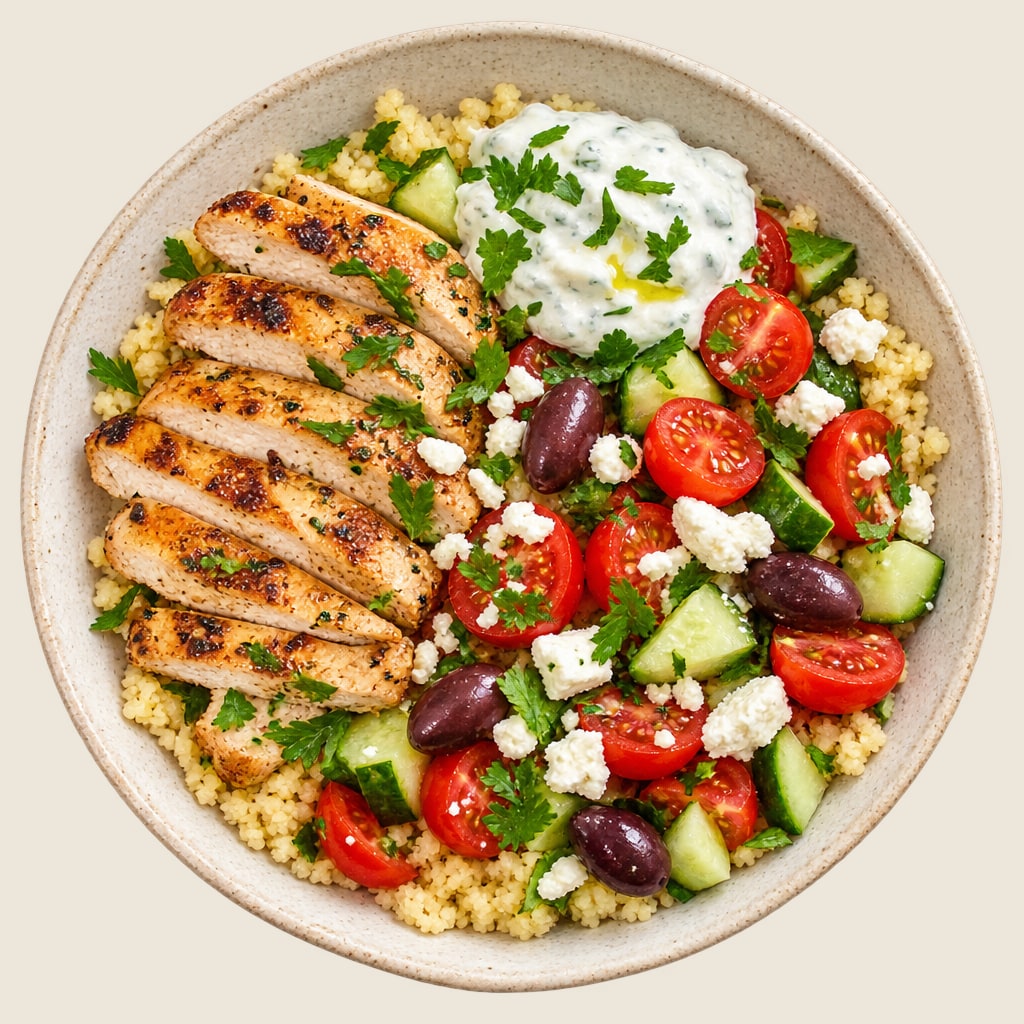
This bowl provides an excellent balance of lean protein, healthy fats, and complex carbohydrates with plenty of fresh vegetables. However, it is relatively high in sodium due to the feta and olives.
Enjoy this nutritious meal as is, but if you need to watch your salt intake, slightly reduce the amount of feta and olives.
Adjust anything you need and save your meal. Review your history and discover patterns over time.
Start free on the webAI estimates, you review. Ingredients and quantities may need adjusting.
Forget searching for foods one by one, weighing portions or entering codes. Calegg understands your dishes the way you see them.
Open the camera in the app or on the web and shoot. No photo? Type or dictate what you ate, or repeat a favourite.
In the app, tap any ingredient to open its nutrition details and see the values for your portion. You can also correct anything the AI estimated.
As well as counting macros, Calegg estimates the presence of plant foods and flags possible ultra-processed ingredients.
Example data. The AI provides estimates: review the ingredients and quantities.
Every dish includes a detailed nutritional explanation, with its strengths and aspects to keep in mind. When there are suggestions for improvement, you'll find them alongside the analysis.
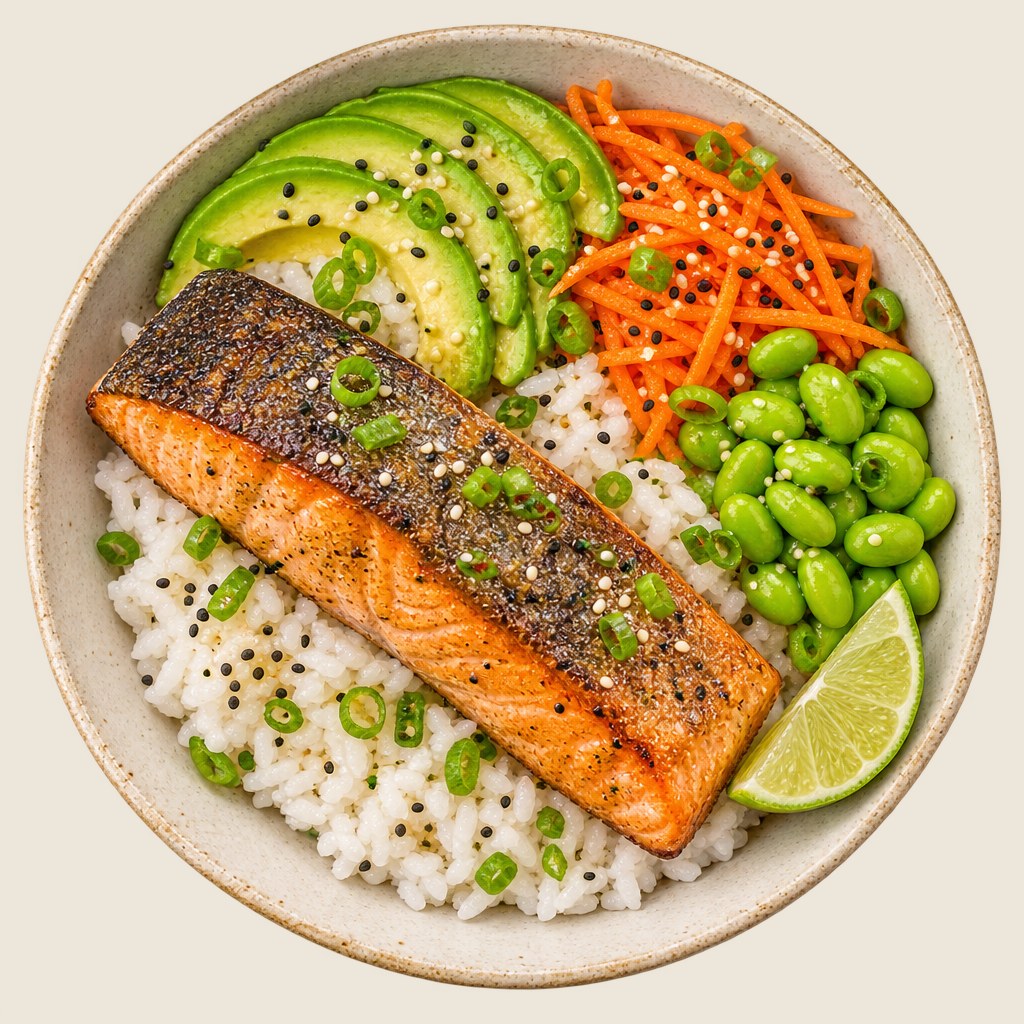
An exceptionally balanced meal featuring high-quality protein from the salmon, healthy fats from avocado, and a great variety of fibrous vegetables and legumes. Very low in ultra-processed ingredients.
Ensure the rice is portion-controlled to maintain a great macronutrient balance.
Adjust anything you need and save your meal. Review your history and discover patterns over time.
Start free on the webAI estimates, you review. Ingredients and quantities may need adjusting.
Forget searching for foods one by one, weighing portions or entering codes. Calegg understands your dishes the way you see them.
Open the camera in the app or on the web and shoot. No photo? Type or dictate what you ate, or repeat a favourite.
In the app, tap any ingredient to open its nutrition details and see the values for your portion. You can also correct anything the AI estimated.
As well as counting macros, Calegg estimates the presence of plant foods and flags possible ultra-processed ingredients.
Example data. The AI provides estimates: review the ingredients and quantities.
Every dish includes a detailed nutritional explanation, with its strengths and aspects to keep in mind. When there are suggestions for improvement, you'll find them alongside the analysis.
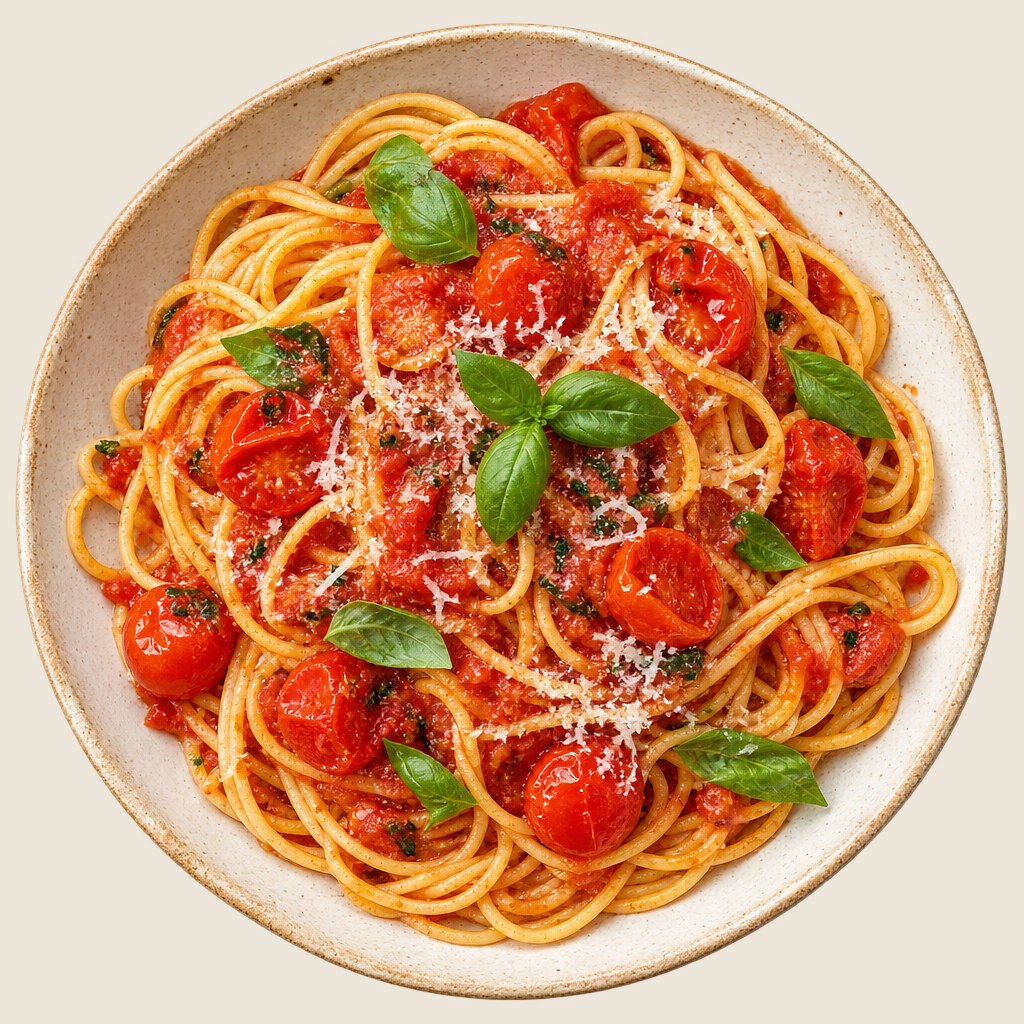
This dish offers a good balance of carbohydrates for energy and beneficial antioxidants from tomatoes and fresh basil. However, it is relatively high in sodium and saturated fats due to the cheese and oil.
Consider adding a side salad with leafy greens to increase fiber and micronutrient intake without adding extra sodium.
Adjust anything you need and save your meal. Review your history and discover patterns over time.
Start free on the webAI estimates, you review. Ingredients and quantities may need adjusting.
Forget searching for foods one by one, weighing portions or entering codes. Calegg understands your dishes the way you see them.
Open the camera in the app or on the web and shoot. No photo? Type or dictate what you ate, or repeat a favourite.
In the app, tap any ingredient to open its nutrition details and see the values for your portion. You can also correct anything the AI estimated.
As well as counting macros, Calegg estimates the presence of plant foods and flags possible ultra-processed ingredients.
Example data. The AI provides estimates: review the ingredients and quantities.
Every dish includes a detailed nutritional explanation, with its strengths and aspects to keep in mind. When there are suggestions for improvement, you'll find them alongside the analysis.
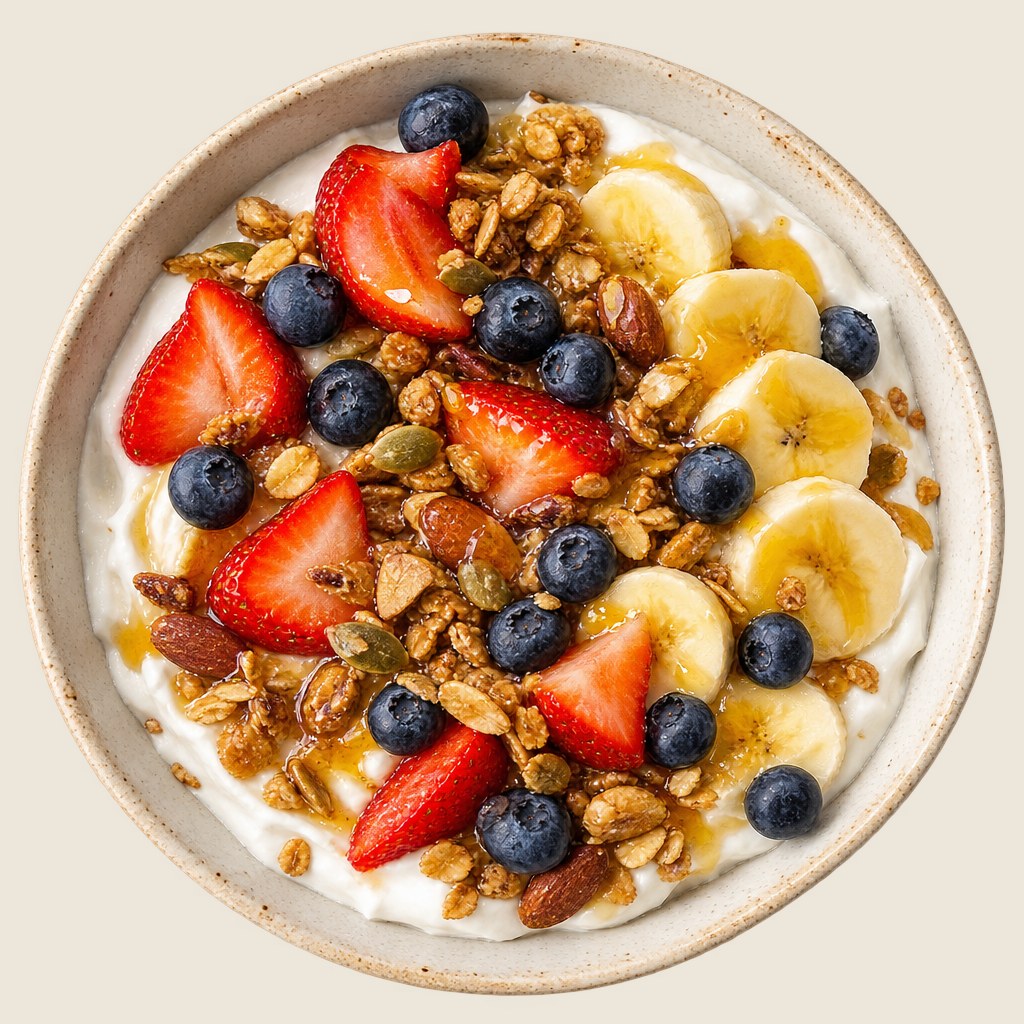
This bowl offers a fantastic mix of protein from the yogurt, healthy fats, fiber, and vitamins from the fresh fruit and nuts. However, the granola and honey add a significant amount of sugar and calories.
Consider using a low-sugar granola and reducing the honey drizzle slightly if you want to lower the sugar content.
Adjust anything you need and save your meal. Review your history and discover patterns over time.
Start free on the webAI estimates, you review. Ingredients and quantities may need adjusting.
Ask in your own language, by typing, by voice or with a photo. It answers with your meals, your goals and your preferences, not generic tips.
It uses your profile and your recent meals, drinks, water and statistics to give you specific advice.
It suggests dishes based on what you have left for the day, and you add them to your diary with one tap.
It takes your diet, allergies and tastes into account. You decide which preferences it remembers.
Send a photo of a restaurant menu, a food label or your fridge. Your conversations are saved and you can delete them whenever you like.
The coach is an AI: it offers guidance but does not replace a dietitian or a doctor.
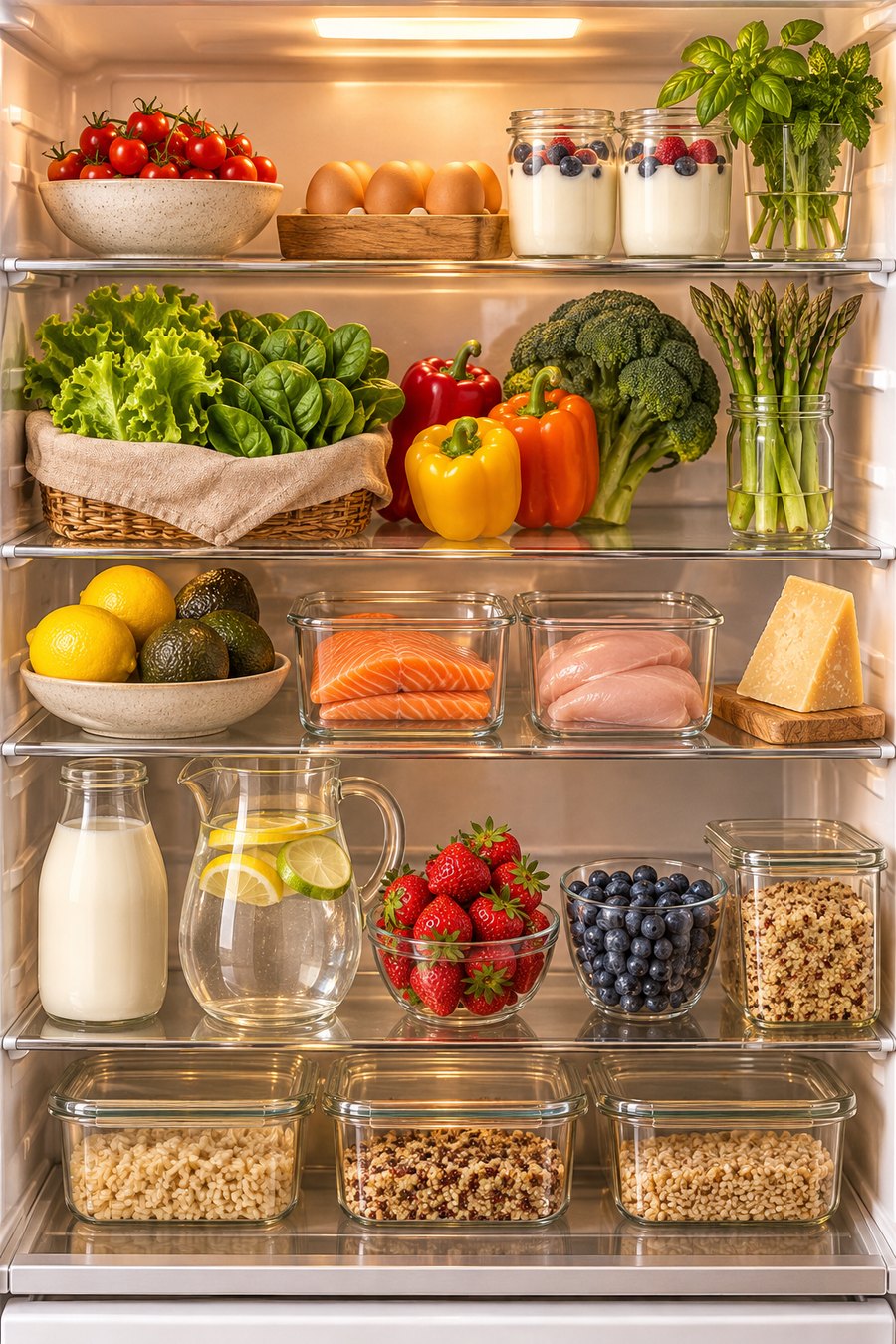
What can I make with what I have? — Your fridge is wonderfully well-stocked! Since it is early afternoon and you have a good chunk of your calories and protein left for today, here are three simple meals you can make using what you see: Chicken and Asparagus Stir-Fry: Sauté sliced chicken breast with bell peppers and fresh asparagus, served over cooked grains. Salmon and Spinach Salad: Flake pan-seared salmon over mixed salad leaves and baby spinach, tossed with cherry tomatoes and a squeeze of lemon. Berry and Yogurt Parfait: Layer Greek yogurt with fresh strawberries and blueberries, topped with a handful of grains for crunch. Would you like the recipe for any of these? · Recipe: chicken and asparagus stir-fry · Recipe: salmon and spinach salad · Recipe: berry and yogurt parfait
Explore the conversationSwipe or scroll You can also drag with a mouse, or focus the phone and use the arrow, Home and End keys. This is a sample image; its buttons are not interactive.
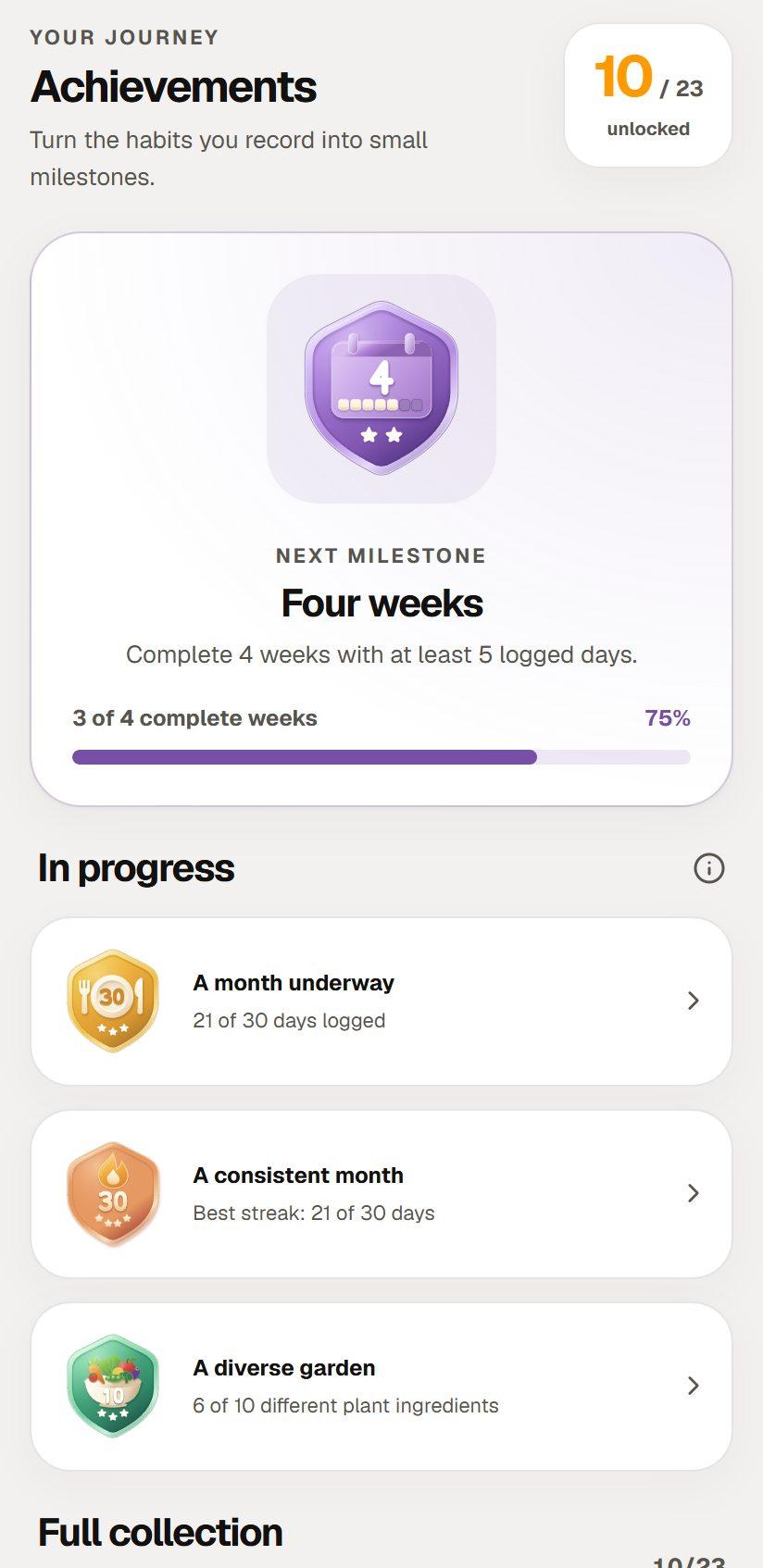
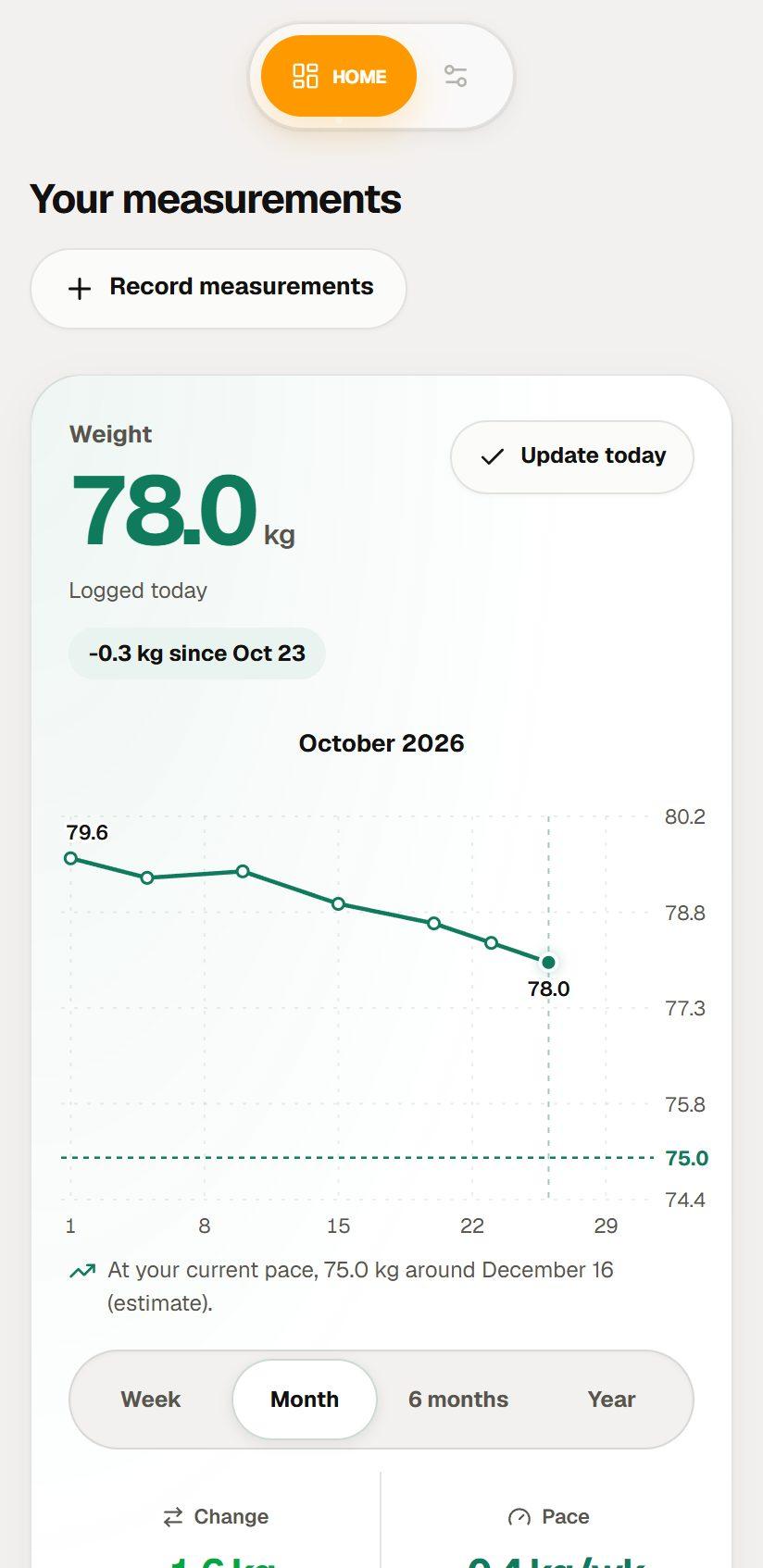
Log your weight, waist and body fat, set a goal and follow your progress by week, month or year.
Weight, BMI, body fat and waist, with charts by week, month, 6 months or year. You choose which ones to see.
Set a weight goal and check your weekly pace and an estimate of where you’re heading.
Connect Health Connect to see steps, distance, exercise and active calories. Calegg only reads this data.
Streaks, 23 achievements and optional weekly challenges. To celebrate the habit, not perfection.
BMI and estimates are for guidance only: they are not a diagnosis or a promise of results, and they don’t replace a healthcare professional.
MAKE SENSE OF YOUR DATA
Explore Calegg’s nutrition statistics with sample data. Compare your calories with your goal, discover the meals behind each number and try adjusting a quantity.
Demo · Sample data
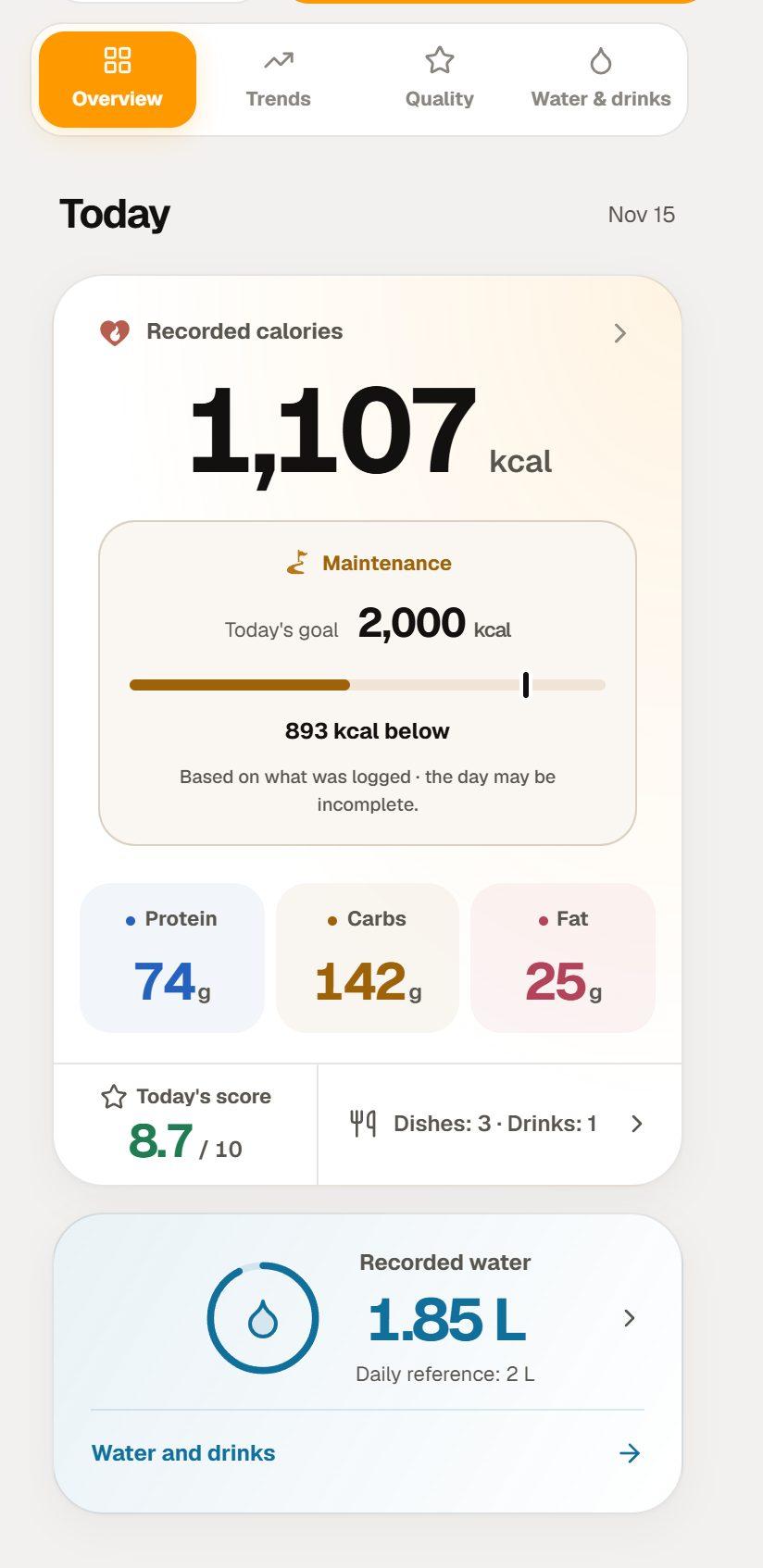
Compare logged calories with your personal goal.
Follow macros, score and plant-based eating across days.
Review logged water and drinks and their contribution.
Tap a statistic, open the meal and adjust a quantity to see the change.
Work out your daily energy needs and macro split for your goal. No sign-up: the calculation runs in your browser.
Calegg doesn't impose diets. It gives you context to make better choices, one meal at a time.
Check how your photos are processed in our privacy policy and delete your account whenever you want.
Read the privacy policy →AI estimates, you decide. Edit ingredients, quantities and the portion you actually ate.
It doesn't judge — it informs. If you overdo it today, Calegg is still with you tomorrow. Like a good coach.
A very good app for keeping track of calories in a simple, intuitive way. It has helped me follow my diet and stick to my goals. Highly recommended!
An exceptional app. It helps me understand my diet and see where I can improve to reach my goals. The statistics give detailed information and let me adapt my diet to my needs.
A very good app for tracking. Its comprehensive statistics stand out.
It works well. It’s quite accurate and I like how complete the statistics are. I give it 5 stars.
A surprising app for its speed and accuracy: you upload a photo and it’s incredible how it analyses it.
A very good app. Its analyses are very accurate. I recommend it.
A good app. It’s helping me improve my diet. 5 well-deserved stars.
An app that helps me understand what I eat and how I can improve my health. Practical and visual. Highly recommended!
I think it’s one of the most accurate I’ve tried.
Great app! I love it.
Reviews published on Google Play, translated from Spanish. See the reviews on Google Play →
Choose how to start. Your account goes with you.

Download the app from Google Play and start analyzing your dishes.
Download for AndroidUse Calegg in your browser. You can start today, even though the native iOS app is not available yet.
Start free on the webOpen Calegg on the web to log meals and explore your progress.
Start free on the webChoose credits for occasional analyses. Premium for frequent use.
The same tools to log and review your meals; Premium changes the AI analysis limit.
Prices in EUR (taxes included for EU). The final price in your local currency will be shown in the store at the time of purchase.
Tips, science and habits to make every dish count.
 Technology and health
Weight, body fat and heart age come from different methods. Explore the evidence, limits and subscription costs before c…
Read article →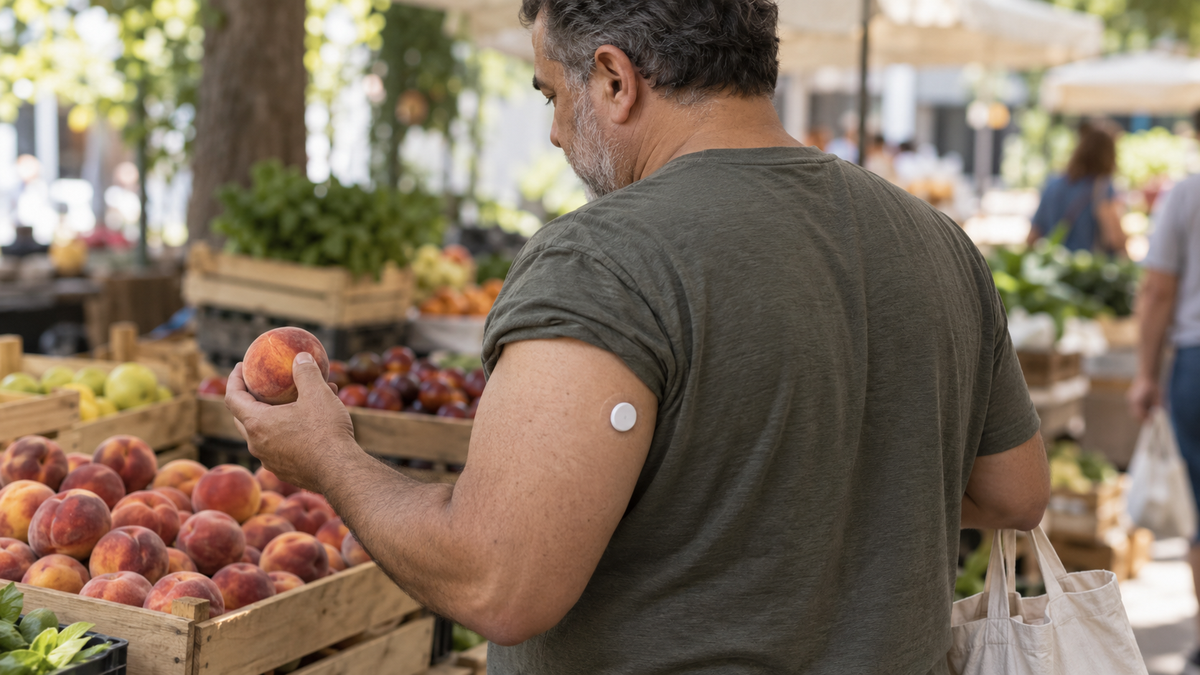 Technology and health
Glucose also varies without diabetes. Understand what a sensor measures, the study findings and ongoing costs before dec…
Read article →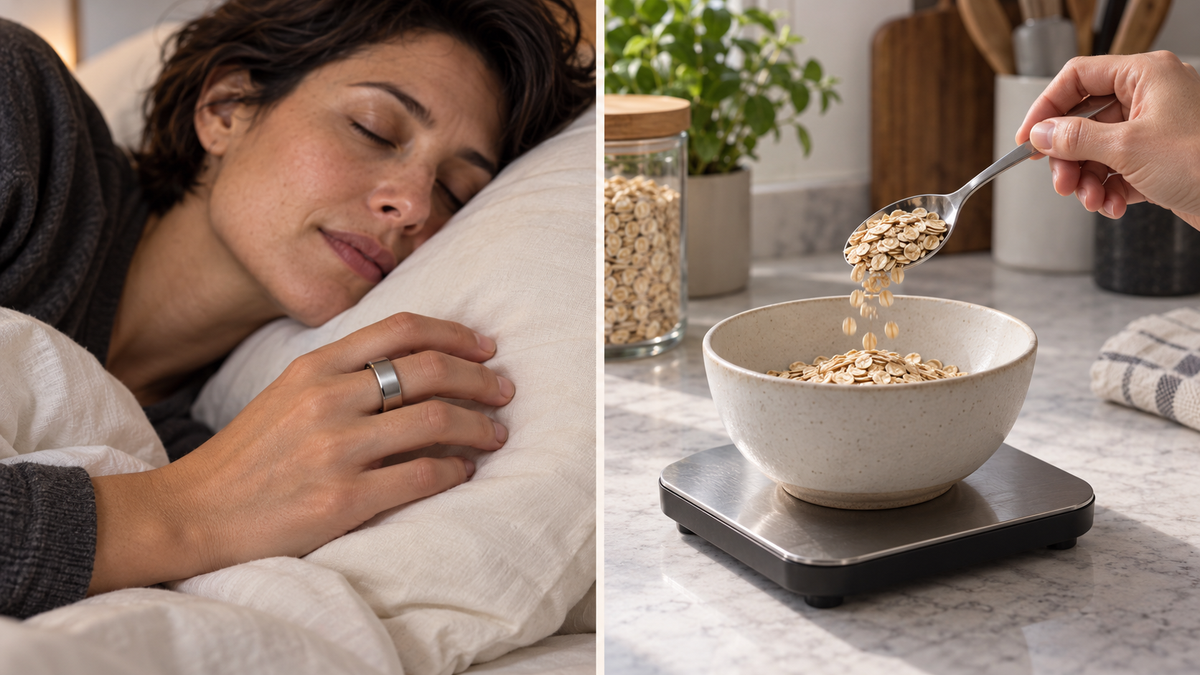 Technology
What smart rings contribute to tracking meals, sleep, and activity. Review an Oura study and distinguish between estimat…
Read article →Clear answers about analysis, privacy and pricing.
Start with a photo.
Free 7-day trial · No card required · Also on iPhone and iPad, in your browser. No download needed.
